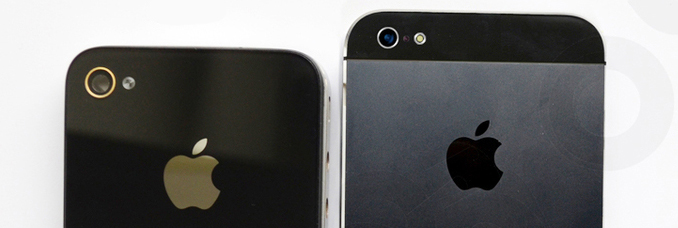
As we know, the iOS 5.1
jailbreak has yet ready for iPhone 4S, iPad as well as the new iPad 3,
so there is no way to enjoy perfect jialbreak iPhone, isn't it? No,
now you can downgrade iphone firmware to iOS 5.0.1 with RedSn0w
0.9.11b2, then enjoy jailbreak iPhone if you want.
How to downgrade iphone firmware from iOS 5.1/iOS 5.1.1 to iOS 5.0.1
(First of all, please make sure you've backup iOS 5.0.1 SHSH.)
 First
First, download
RedSn0w 0.9.11b2(any Mac or Windows);
Second, download iOS 5.1.1 and iOS 5.0.1 for your iPhone or iPad;
Third,
before downgrade iphone firmware , setting iPhone/iPad to DFU mode.
Don't know how to do this? Don't worry, the program will guide you into
that, step by step;
Fourth, run RedSn0w
0.9.11b2, make sure RedSn0w has detected your device and under the
right DFU mode. Click Extras > Even more > Restore, choose iOS
5.0.1. After loading, RedSn0w will ask you to load iOS 5.1.1, just do
it.
Fifth, after verified of iOS 5.1.1 and iOS 5.0.1, backup SHSH or you can choose 'Remote' to load it from Cydia server.
Sixth, after SHSH verified, you should do nothing but waiting RedSn0w to finish the downgrade auto.
Finally,
you'll receive message of Restore successful. Just check out
setting-general-about if you found the firmware is iOS 5.0.1, that means
you successfully downgrade iphone firmware from iOS 5.1.1 to iOS
5.0.1.
People who get
PS3 wireless Controller for PS3 just like people who get
iPhone case, anyway, beside beautify iphone, we can do more, that's jailbreak iPhone, give you the freedom to use your iphone.
After we downgrade iphone/ipad firmware from iOS 5.1.1 to iOS 5.0.1, naturally, let's go jailbreak iphone.
How to jailbreak iPhone/iPad with iOS 5.0.1
1. Connect iphone 4s or ipad to computer and run RedSn0w 0.9.11b2;
2.
Click 'jailbreak', go to your iphone 4s/ipad, you'll get a message
for install a config file, click and install it, the program will
directly start the jailbreak process;
3. Go Setting and open VPN,
then iPhone jailbreak process will automatically running, all you need
to do is have a coffee or tea for a rest.
Sometimes, you might
get the tips of the VPN error, just miss it and wait for your iphone
restart. Once jailbroken, you’re now able to install Cydia, you'll see
Cydia on the SpringBoard:

After jailbroken, you can freely tranfer music video between iphone and computer, the most conveniently way is get help of
iPad/iPhone/iPod to Computer Transfer.
Ways to transfer iPhone to computer with iPhone Transfer
Some esay ways to transfer music video from iphone/ipod/ipad to computer with iPhone Transfer
1.Download
iPhone Transfer.
Before you run the program, please be sure you have installed iTunes
on computer, and you can manage your iphone/ipod device smoothly.
2.Launch
the program and it will search the device automatically. If the
device is enabled, the files (songs/movies/photos) will be shown in the
list as below:

3.Choose
the list and files you want to transfer iPhone to computer, Click the
Export button. All you need to do is choose Export to Disk or iTunes.
 Solution of iPhone/iPod can not connect to computer
When we connect iPhone/iPod to computer, sometimes you’ll found it works as follolw:
- The device does not appear in iTunes
- Device Can not be restore in iTunes
- Beside "Device Manager" is Exclamation mark
Re-install (or sometimes updated) Apple Mobile Device driver may resolve this issue.
Find out Apple Mobile Device driver in "Device Manager":

When you see "X" means that the device has been disabled. Just right-click and 'Enable' it as well as update it.

How to Re-install Apple Mobile Device driver?
Right click to uninstall Apple Mobile Device driver, then scan for hardware changes. Then get re-install.